SMART KEYBOX
Confidently keep keys on site with both Bluetooth & keypad opening
Our partners, Igloo Co also manufacture the Keybox 3 for Knowio. Like the padlock, it has two methods of opening - directly via the Knowio app using Bluetooth or using the keypad with Igloo’s One Time Passcode (OTP) technology.
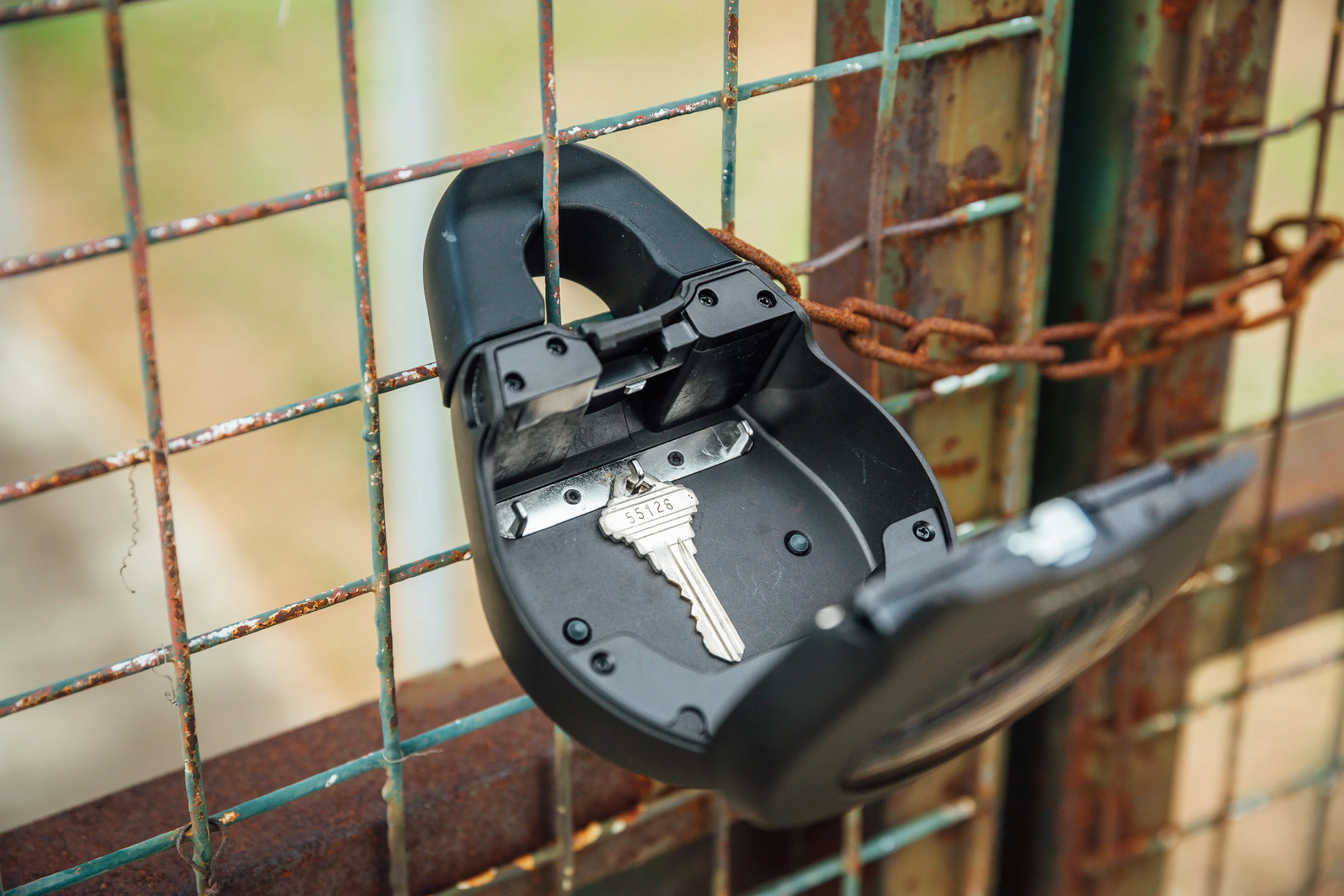
Secure it anywhere
The keybox has been designed to be securely located in multiple locations, giving optimal versatility. Two shackles have been tested to fit most handles or to hang it on a fence or gate. Alternatively, iit can be securely screwed onto a firm structure like a wall or fence.
Large enough for multiple keys
With an inner storage space of 108 x 87 x 27 mm, there is plenty of space to secure not just normal keys but more advanced keys like car keys or even fobs or keycards. It also features hooks and a design pocket to prevent your valuables from falling out.
Long lasting battery life
The keybox is powered with 4 standard AAA batteries, which generally last for 12 months. You can also see how much battery life is left from within the app. The battery can be jump-started via USB-C in the off chance you miss the notifications under 1 hour.
Robust and secure
FAQs
How long does the battery last in the Keybox?
The battery lasts approximately one year. The primary factor in effecting this is how cold it is. This is calculated based on approximately 10 openings per day, and in the number of openings per day does not tangibly affect the battery length.
How do I change the batteries on the keybox?
This is done in the same way that they were inserted into the keybox at the beginning. Loosen the 4 screws and remove battery cover, add in the new/recharged batteries and replace the cover and tighten the screws.
What is the maximum thickness of items that can be stored in the keybox?
Any item that exceeds 25mm in thickness runs the risk of setting of the obstruction alarm and the keybox won’t close properly. Then go to the site that you want to add it to, again go to devices and now add it to that site by clicking the add button on the top right corner. Select padlock or keybox from the list, then select the output you want to add it to (you can change the name after (see two questions down) and when prompted press the button on the padlock. A video is available on the app section of the support page that demonstrates how to do this.
I have keyed in the correct PIN and/or tried to use Bluetooth Unlock, but the Keybox does not open. What do I do?
If the correct PIN was used, and/or if a Bluetooth Unlock was successful but you are unable to open your Keybox, it may be caused by an interference to the latch. This may be due to having too many objects in the keybox or there might be an object pushing against the keybox from the inside. Try to press down the keybox during the unlocking attempt several times to see if this resolves the issue.
How do I know how much battery is left in the padlock or keybox?
Every time someone opens a padlock, it updates the app with the amount of battery left in it. This is shown on the padlock pin, with the amount of battery left the last time it was updated. It is important for users to keep an eye on this, as for example if a padlock shows 30% battery left, but the last recording was dated 6 months ago, then the battery will likely be flat when the next person wants to open a site.
What do I do if I want to open the padlock or keybox, but the battery is dead?
Use the USB C cable to jumpstart the lock and unlock it. We recommend that you bring a portable battery charger when attending remote sites in particular. A lot of Android mobile phones allow you to charge a device with their power, which can be useful if you have forgotten a portable battery charger. The padlock keypad flashes white and LED indicator flashes red when I activate the keypad. What does this mean? This means that Security Lockout is triggered, as an invalid code has been entered more than 5 times in a row: 1) When “Keypad Security Lockout” is triggered 1st time: o There will be siren for 30 seconds o Keypad will not accept any pin codes for 1 minute 2) When “Keypad Security Lockout ” is consecutively triggered 2nd time: o There will be siren for 60 seconds o Keypad will not accept any pin codes for 5 minutes 3) When “Keypad Security Lockout” is consecutively triggered 3rd and subsequent times: o There will be siren for 90 seconds o Keypad will not accept any pin codes for 10 minutes
How do I deactivate the security lockout?
To do this with a valid access code, you must wait inline with the above timings (1/5/10 minutes) or else use the app to open the padlock using Bluetooth.
The padlock/keybox is not responding at all, what do I do?
The device battery is probably flat, so use the USB C cable to jumpstart the lock and unlock it. Charge the lock to continue using it. Please ensure that the lock is fully charged before your next deployment.
I tried to use USB-C to jumpstart the padlock/keybox but am unable to do so, what do I do?
Please ensure USB-C connector is connected to the USB-C slot securely while unlocking it with PIN code or Bluetooth, unlocking within 20 seconds. Please ensure that your Power Bank has sufficient power.